You asked, and we’ve been listening!
We’ve made some big improvements to the printable PDF in Instant Church Directory, including four features our customers have requested again and again:
- Large print throughout the entire directory
- An automatic table of contents
- Page numbers and date
- Easier booklet printing
Behind the scenes, we’ve also updated the technology we use to create your directory PDF. That gives us more flexibility to build your PDF on the fly—and gives you more control over how your finished directory looks before you print it.
Here’s what’s new.
RELEASED: Large Print Throughout Your Directory
Large print is now available for your entire printable directory.
Previously, the large-print option applied only to the text-only roster. Now, when you choose Large Print, the larger type carries throughout your directory—including pages with member photos and details, your Pastor Letter, Activity pages and other directory sections.
That means you can create a more readable printed directory without having to give up the photos, information and pages you want to include.
Simply select Large Print under your PDF font-size options before generating your directory.
RELEASED: Automatic Table of Contents
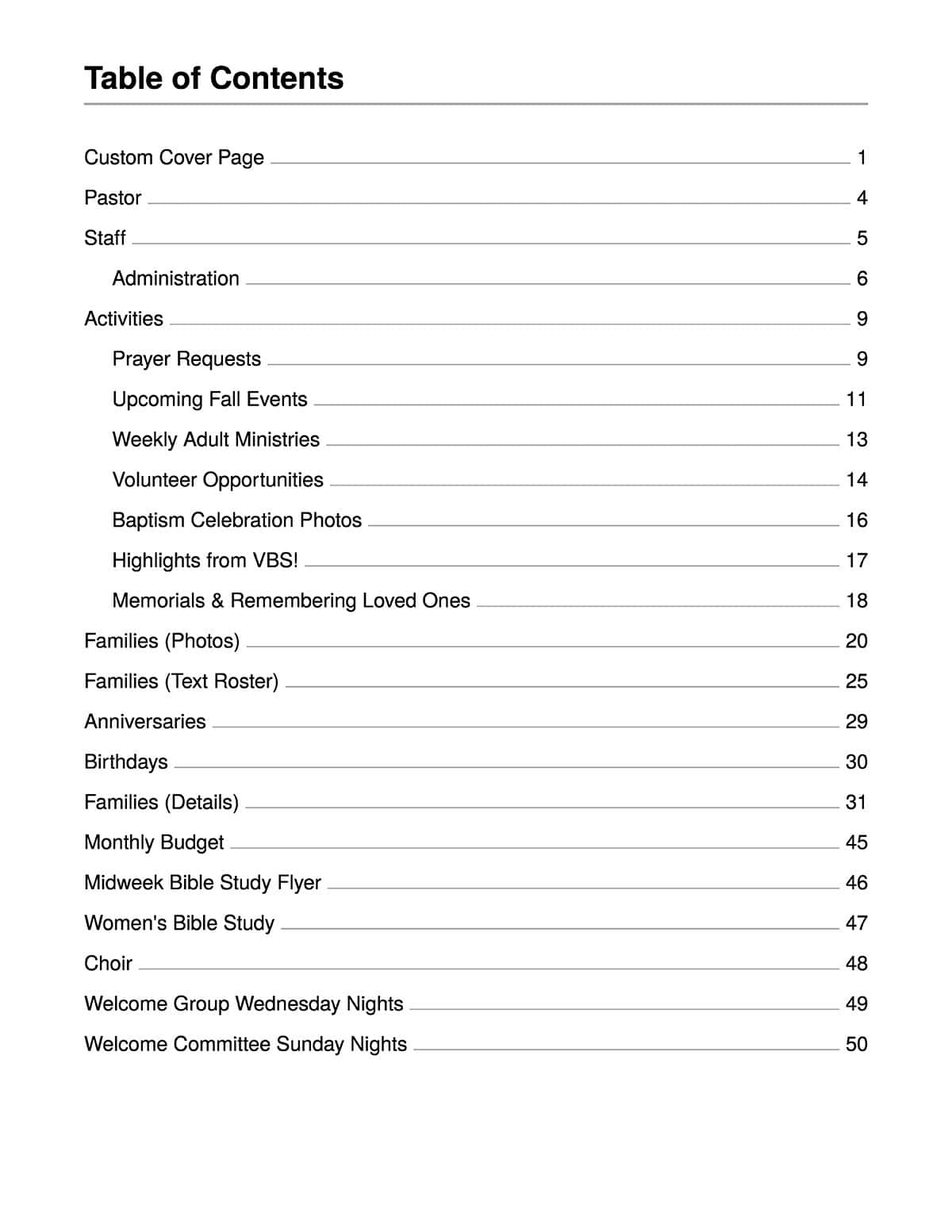
Your printed directory can now include an automatically generated table of contents.
When you turn on the Table of Contents option, Instant Church Directory creates a TOC page after your directory cover that lists the sections in your directory along with their page numbers.
That means members can quickly find Staff, Groups, Birthdays, Anniversaries or other sections without flipping through the entire directory.
RELEASED: Page Numbers + Directory Date
Another popular request is here: page numbers!
Your directory PDF can now include a footer with the page number and directory date.
Page numbers make a printed directory easier to navigate—and much easier to put back in order if pages ever get separated.
The directory date also helps members know which version they’re using, especially if you update and reprint your directory throughout the year.
RELEASED: Easier Booklet Printing
If you print your directory as a booklet, this update is for you.
You can now choose a booklet-ready layout, and Instant Church Directory will automatically arrange the pages into printer spreads for you.
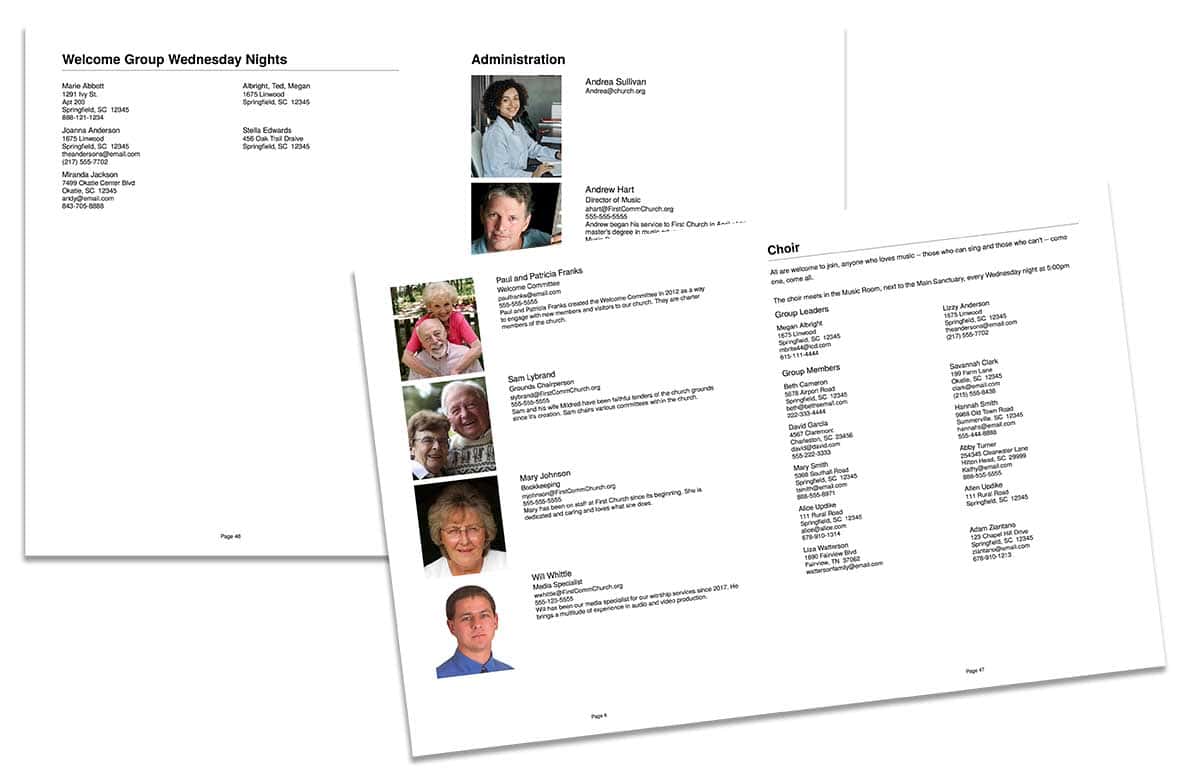
The pages may look out of order when you first view them on screen. That’s intentional! They’re arranged so you can print them double-sided on 11″ × 17″ paper, fold the sheets in half and assemble them into a finished booklet.
When printing the booklet yourself, choose settings such as:
- Double-sided printing
- Landscape orientation
- Flip on the short edge
Then fold the printed pages in half.
If you send your directory to a professional print shop, let them know that the PDF has already been imposed for booklet printing so they don’t rearrange the pages again.
MORE PDF IMPROVEMENTS: Customize Before You Print
Those aren’t the only changes we’ve made.
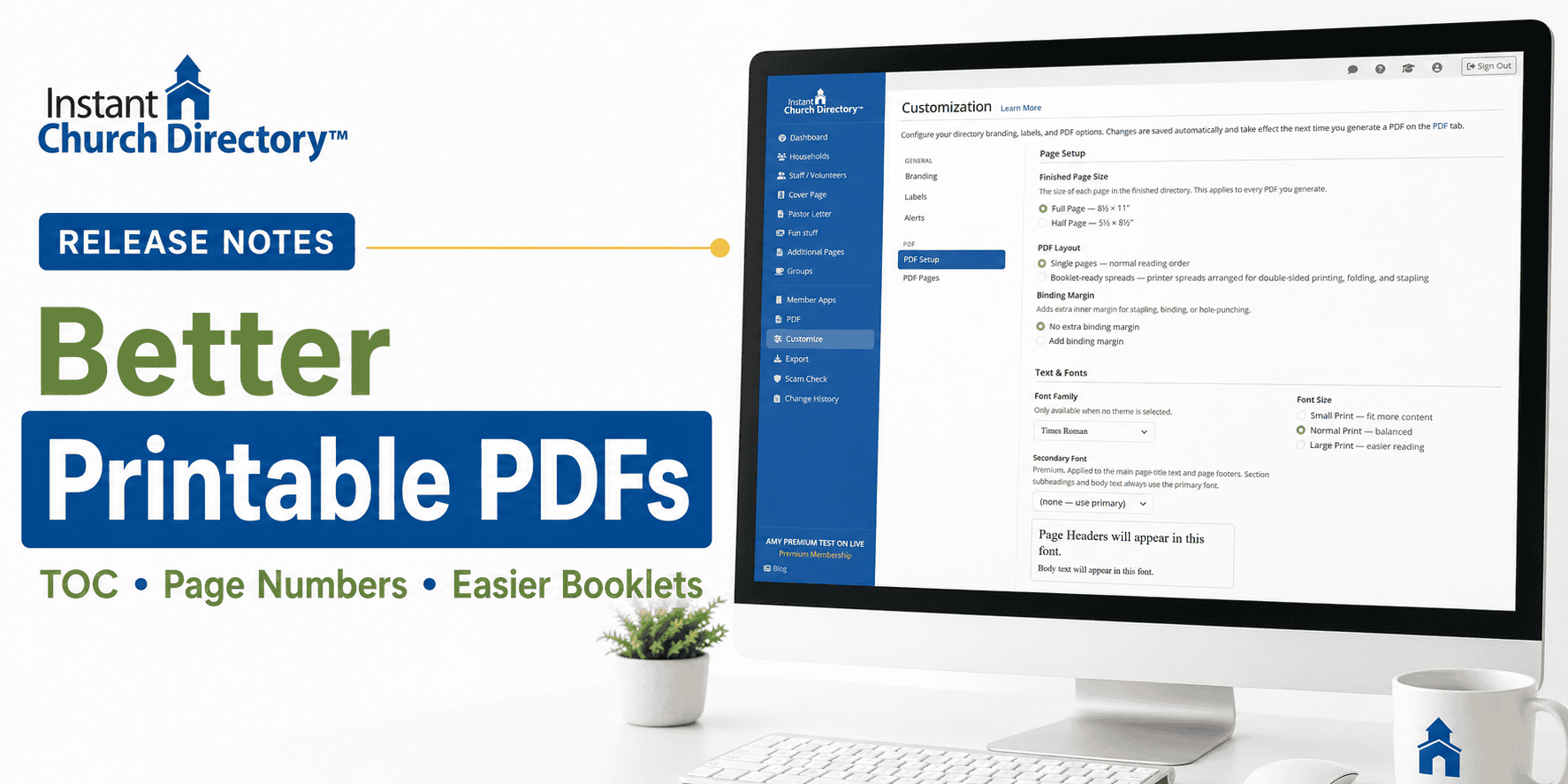
When you log in to your Admin account and go to Customize, you’ll find additional options for controlling your printed directory.
Choose Your Page and PDF Layout
Select a full-page or half-page directory and choose whether you want your PDF created as individual pages or booklet-ready printer spreads.
You can also add an extra inner margin if you need additional space for binding.
Adjust Font Size and Style
Choose the font family and size that works best for your church. Select Small Print to fit more content on each page, Normal Print for a balanced layout, or Large Print for easier reading.
Your selection is applied consistently throughout the directory.
Control Page Breaks
You now have more control over how sections and subgroups flow from one page to the next.
Start a subgroup on a new page when it makes sense—or allow it to follow the previous section when there’s room. This can help eliminate awkward page breaks and unnecessary blank space.
NOW AVAILABLE: Preview Your PDF Before Downloading
We’ve also made it much easier to see how your changes affect the finished directory.
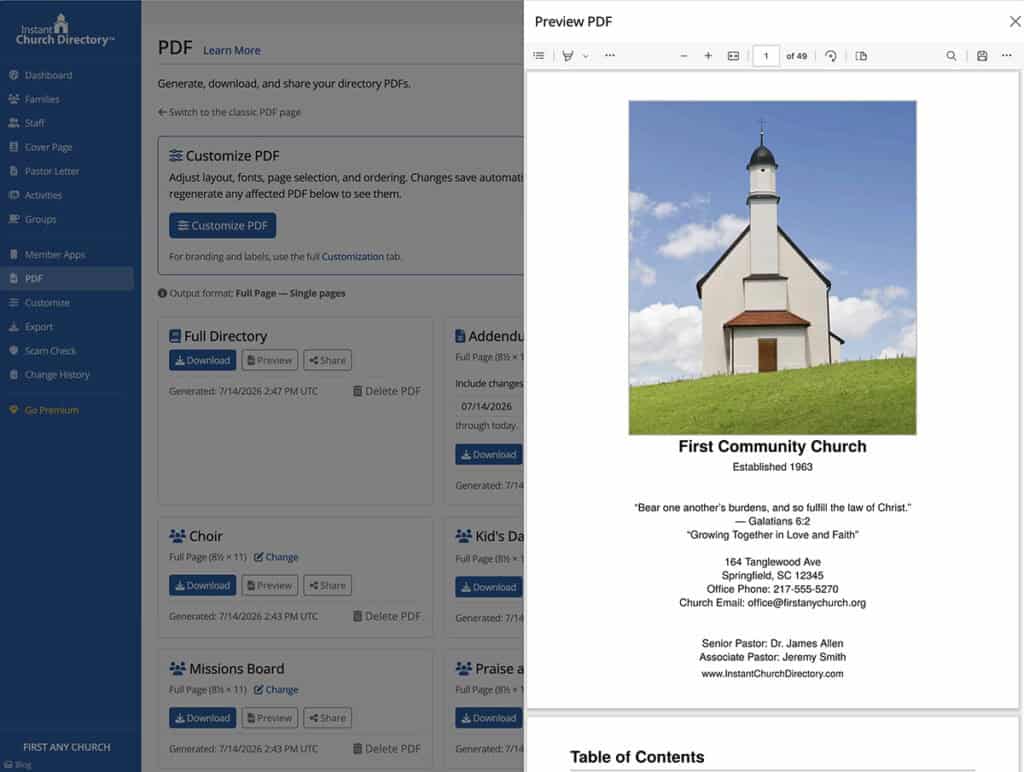
Instead of repeatedly downloading a PDF every time you make an adjustment, click Preview to see the updated directory right in your browser.
Change the font size. Adjust a page break. Switch layouts. Then preview the results before you download or print.
Built From Your Feedback
Many of these improvements came directly from requests and suggestions we’ve received from Instant Church Directory administrators.
And our updated PDF technology gives us more flexibility to continue improving the printable directory experience as new needs and ideas come up.
Thank you for continuing to tell us what would make Instant Church Directory work better for your church. Keep the suggestions coming!