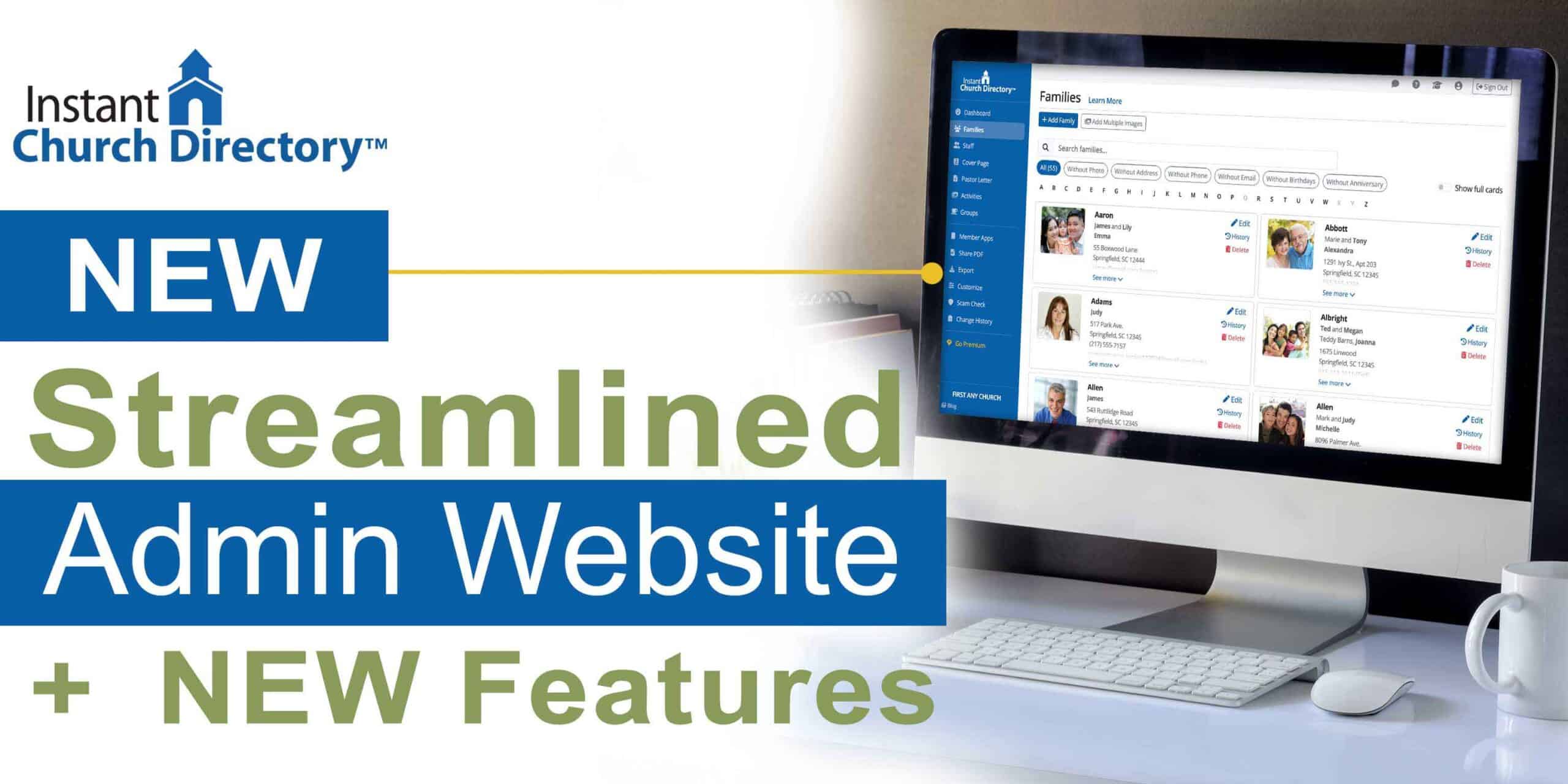
By now, you’ve likely noticed the new-and-improved layout on the Instant Church Directory admin website. The changes aren’t just cosmetic. They make better use of today’s wider screens while keeping every editing area consistent.
If you haven’t already explored the updated admin website for Instant Church Directory, keep reading to learn more about the most recent improvements.
Recent Improvements to Our Admin Website
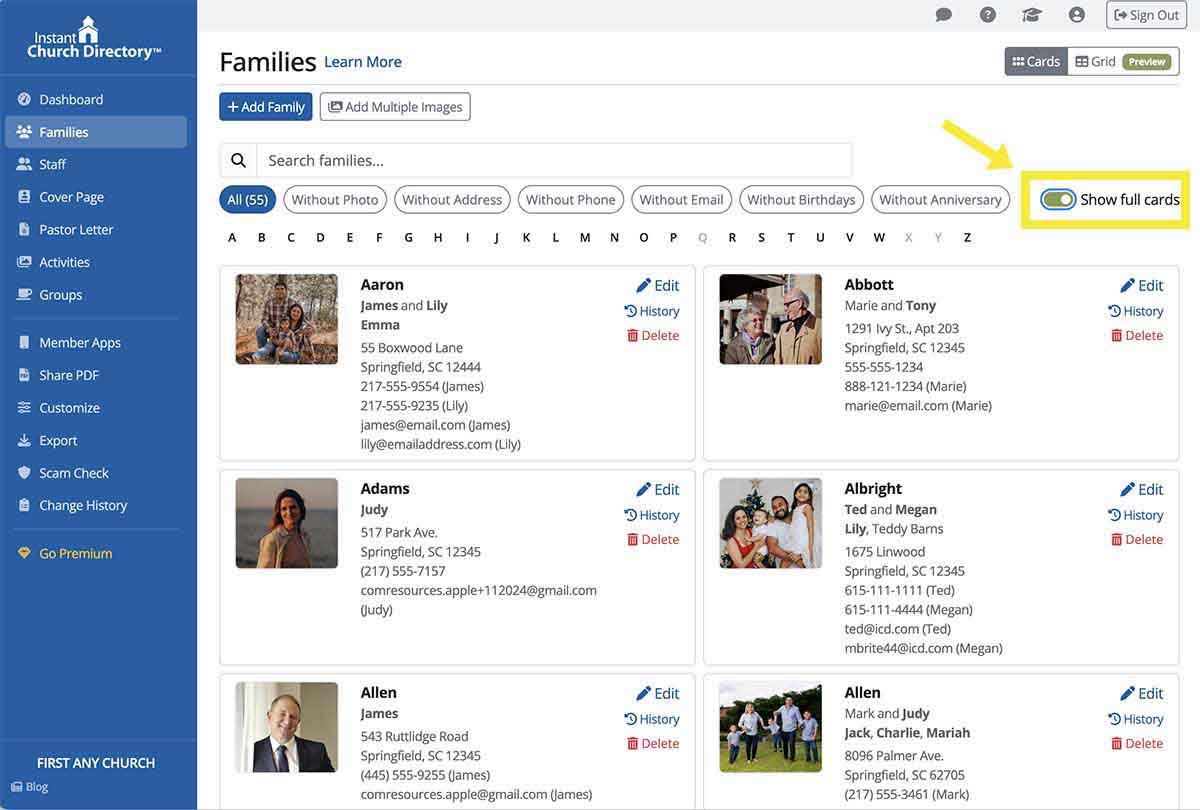
- While viewing member information, now you can easily toggle between the full card view and the condensed view. Save time while checking and updating details for families and individuals within your congregation or organization.
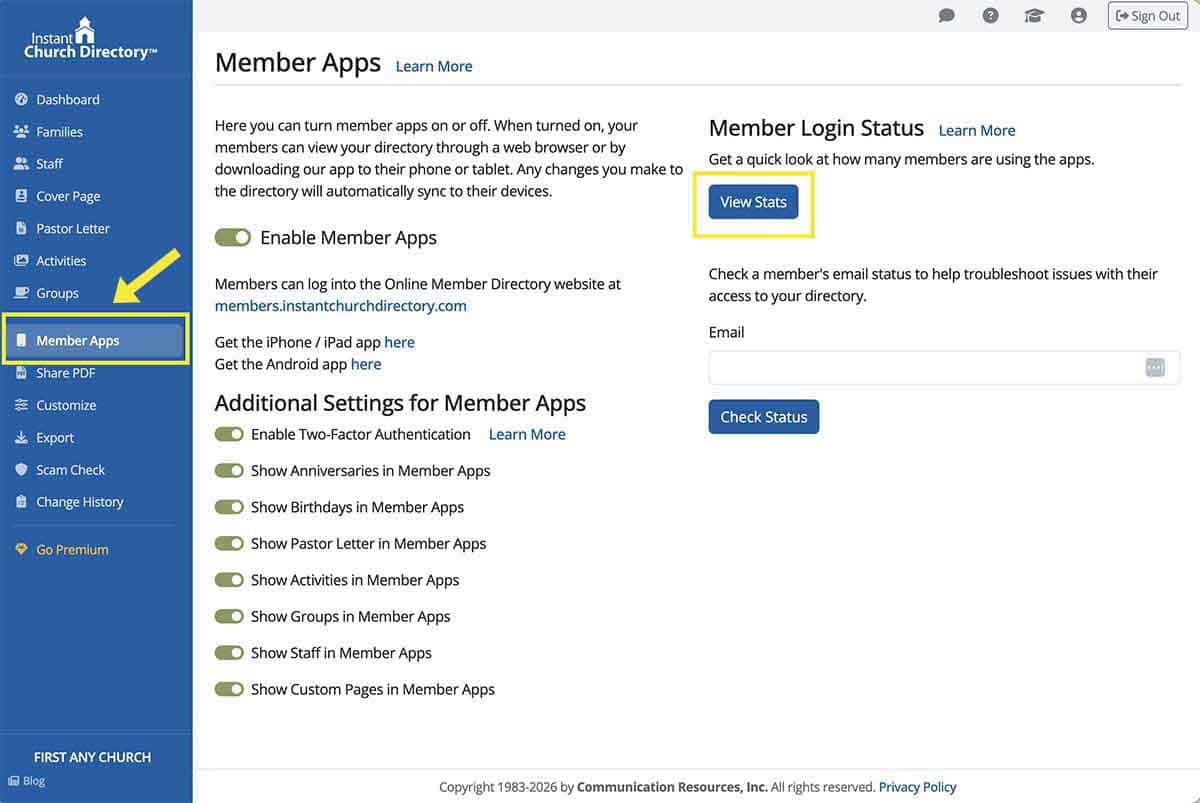
- Another improvement we made, based on subscriber feedback: Account owners can view the Change History within the directory, for an ongoing record of who made which edits and when. In addition, account owners have the option to undo any deletion within seven days.
- On the new statistics page, administrators can view sign-in activity, including IP addresses and the loal time of each sign-in.
New Grid View Simplifies Your Work
You’ll also notice a new Grid view that’s ideal for quickly adding or updating family information. By switching from “Cards” to “Grid” on the Families page, you’ll see congregants’ entries in a table layout. Each family is displayed in its own row, with individual family members listed beneath it.
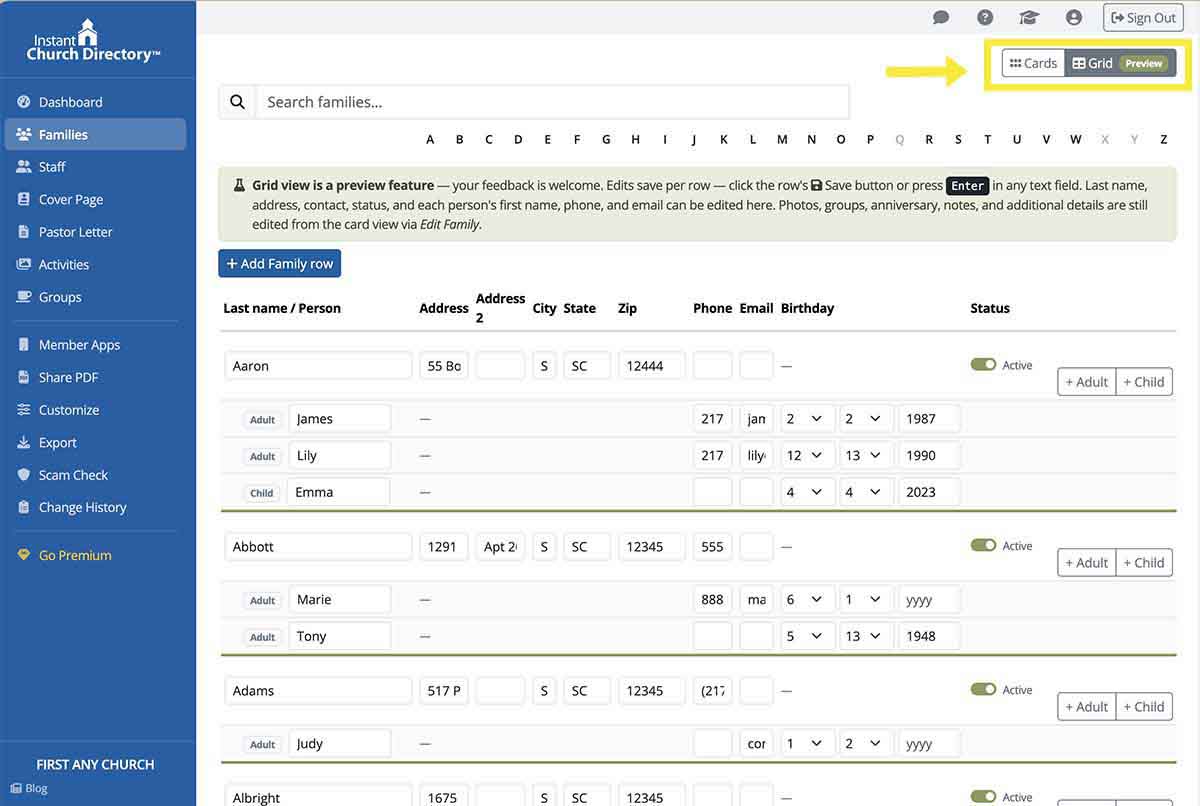
Directly in the grid, you can edit all family details. Changes made in Grid view are saved one row at a time. If you close the program in Grid view, that format setting will appear when you log in next time.
Our Admin Page Is Now More Consistent
That’s not all! Here’s a recap of other recent changes we made to the Instant Church Directory admin page. Not only do they maximize space; the improvements also provide onsistency through the site and app.
- Everything from the old top menu is now along the left side, arranged with more breathing room. If you use a narrower screen, find the menu in the top bar, tucked behind the ☰ button.
- In the top-right corner of every page, you have quick access to these frequently used actions: Contact Us, Help Docs, Tutorials, My Account, and Sign Out.
- To open and edit a section, simply click the left side of the section and then select Edit.
- Now you can edit items and sections on slideout panels, rather than being sent to separate pages. As a result, you stay closer to the screen you’re updating, which means less bouncing around, fewer interruptions, and always-visible content.
- NEW PDF generation! Version 2 of the PDF Generator, currently in beta, offers improved layout features and more customization options for your photo directory. Enjoy more control over your PDF’s appearance, with new table of contents options, additional font choices, AND the ability to preview your PDF before downloading it. Based on subscriber feedback, font-size settings now apply throughout the directory rather than only on roster pages. But the familiar tasks of generating, downloading, sharing, and managing the directory haven’t changed.
Your work as an Instant Church Directory administrator helps keep congregants informed and connected. We hope these improvements to the admin site and app make managing your directory easier than ever!